

- Log in to Google as an Admin user.
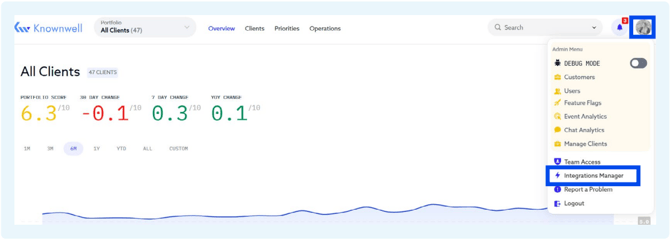
- Log in to Knownwell and navigate to the Integrations Manager by clicking your account icon in the bottom left corner and clicking “Integrations Manager.”
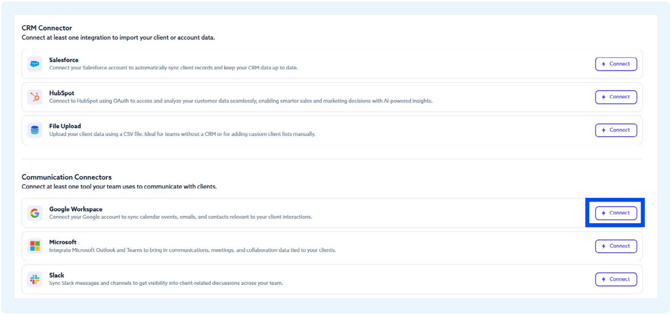
- Then, click “Connect” next to the “Google Workspace” connector.
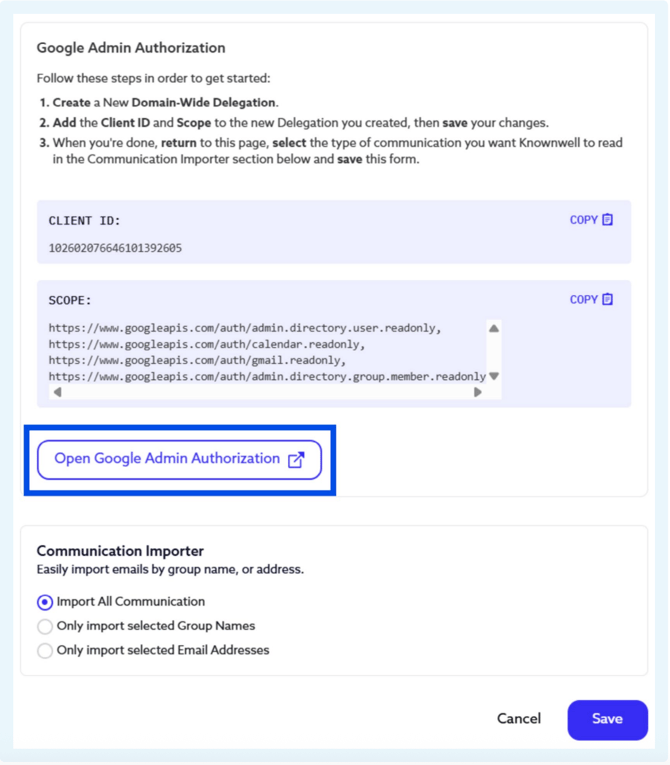
- Click on “Open Google Admin Authorization” which will direct you to your Google Workspace.
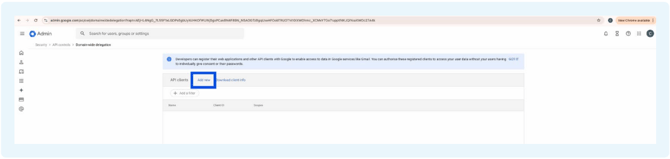
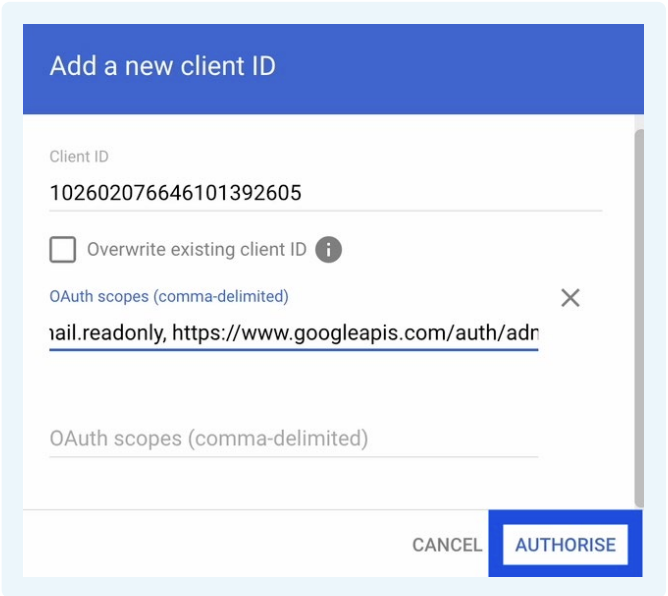
- On the Google Workspace Admin, add a new Delegation.
- Copy and paste the Knownwell Client ID and Scope, then save your changes.
- Client ID: 102602076646101392605
- Scope: https://www.googleapis.com/auth/admin.directory.user.readonly, https://www.googleapis.com/auth/calendar.readonly, https://www.googleapis.com/auth/gmail.readonly, https://www.googleapis.com/auth/admin.directory.group.member.readonly
- Once you’ve finished, return to Knownwell and select the communications you’d like us to read in the Communication Importer section below, then click “Save”.
Note: For the most informed insights, we recommend including all communications. If you prefer to limit the selection, we recommend including all client-facing team members.
