
Getting Started with Exo
Exo is Knownwell’s intelligent, always-on chatbot that can search your entire Knownwell portfolio to answer important questions about portfolio status and client health. It helps commercial leaders prep, triage, and decide next steps faster by processing vast amounts of natural information and communications into a single, ranked view of what needs attention.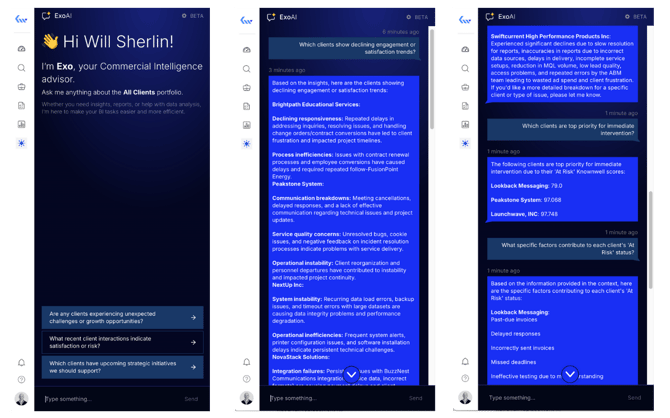
How to Access Exo
Exo provides visibility across all your portfolios and clients. You can access Exo in the global left-hand navigation menu everywhere in Knownwell, allowing you to ask questions about portfolio health, trends, and how to get the most out of Knownwell .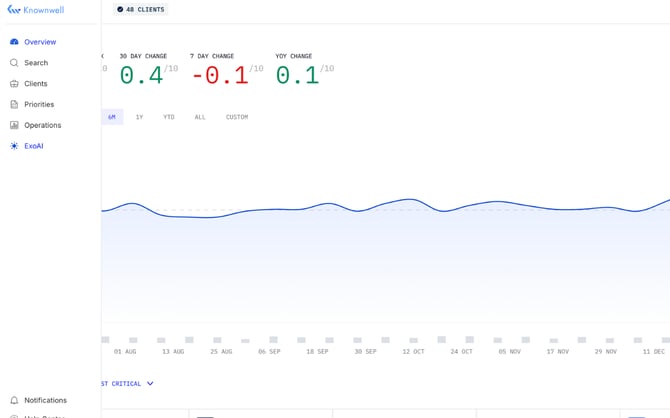
Common Use Cases & Prompts
Exo is designed to help you understand, prep, and decide. Each time you start a new chat, you’ll see three suggested prompts. You can also enter any specific questions into Exo directly.
Below are example prompts you can use to get started beyond the three you’ll see when you open Exo.
Portfolio-wide prompts and questions
- Look across all my clients and tell me which accounts are having delivery issues.
- Which clients have growth opportunities associated with them right now?
- Which accounts are experiencing budget issues at the moment?
- Where is there impending executive turnover I should be aware of?
- What are key performance metrics for our top clients?
Client-specific questions
- Why has Acme Corp’s Knownwell score dropped?
- What are the top risks for Acme Corp right now?
- What are the next best actions for Acme Corp?
Data Exo Has Access To
Exo has access to your entire suite of communications in Knownwell. Due to the volume of communications it scans in order to provide answers, its response time may vary depending on the questions or prompts it receives.